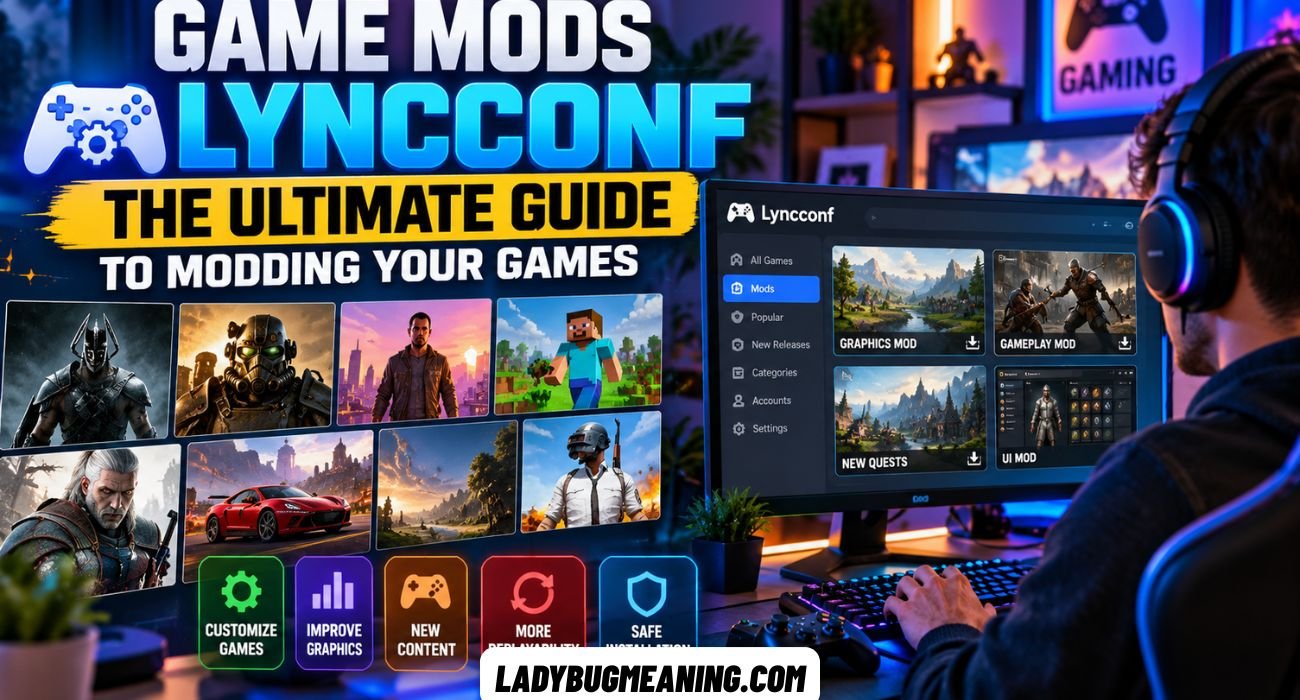
Game Mods Lyncconf – The Ultimate Guide to Modding Your Games
Game modding can turn a familiar title into a surprisingly different experience. New textures, characters, quests, interfaces, difficulty settings, maps, and quality-of-life improvements can give players reasons to return to games they already know well. That is why searches for game mods lync conf often come from gamers looking for mod recommendations, installation guidance, and ways to customize their favorite titles.
One important distinction should be clear from the beginning. LyncConf is a gaming-content website, not a universal mod installer or a standalone game. Its current site includes a dedicated Game Mods category alongside gaming guides, reviews, troubleshooting content, and related resources.
This guide explains what Game Mods LyncConf means, how to use modding information intelligently, how to check compatibility, and how to protect your game files before installing community-created content. You will also learn why mods improve replayability, what can go wrong, and when you should avoid a modification completely.
Read also: Commerce Advice OnPressCapital – Expert Tips for Business Success
Profile Biography Table – LyncConf Overview
Although “profile biography” is normally used for a person, LyncConf is better understood through a website overview.
| Detail | LyncConf Overview |
|---|---|
| Type | Gaming information website |
| Main Focus | Gaming guides, game mods, recommendations, troubleshooting, hardware, and related content |
| Game Mods Section | Yes |
| Standalone Game | No verified standalone LyncConf game |
| Universal Mod Installer | No |
| Typical User Intent | Discover mods, learn installation methods, troubleshoot games, and explore gaming resources |
| Mod Files | May come from external mod creators or recognized mod-hosting platforms |
| Best Use | Research and discovery before verifying a mod through its original project page |
| Main Safety Concern | Outdated, incompatible, unofficial, or suspicious downloads |
| Recommended Approach | Verify game version, creator, dependencies, permissions, and installation instructions |
LyncConf’s current website separately labels a Game Mods section and publishes mod-related articles, reinforcing that the term refers mainly to its editorial gaming coverage rather than a proprietary modification platform.
What Are Game Mods Lyncconf?
Game mods Lyncconf generally refers to game-modification information, recommendations, tutorials, and related gaming content associated with LyncConf.
A game mod, short for modification, is a change made to an existing video game. Depending on the title, a mod might replace a texture, change a user interface, add characters, introduce missions, rebalance combat, improve graphics, or completely redesign certain gameplay systems.
The phrase can therefore be slightly misleading. There is no universal file format called a “LyncConf mod,” and LyncConf should not automatically be treated as the creator of every modification mentioned in its articles. Independent developers and gaming communities commonly create the actual files.
LyncConf itself currently maintains a Game Mods archive, while third-party descriptions of the service similarly characterize it as an informational resource rather than a universal mod installer.
Common Types of Game Mods
Mods vary dramatically in size and complexity.
Visual mods can alter textures, lighting, weather, shadows, character models, or environmental details.
Gameplay mods change mechanics such as combat, movement, difficulty, artificial intelligence, progression, or resource management.
Content mods may introduce new characters, missions, weapons, locations, storylines, or playable areas.
User-interface mods can reorganize menus, inventories, maps, health displays, or other information shown on screen.
Quality-of-life mods usually make small improvements such as better inventory sorting, additional shortcuts, clearer interfaces, or easier configuration.
Total conversion mods can make such large changes that the modified game feels almost like an entirely different title.
The level of technical work required depends on the game and modification. Some mods install through an official menu, while others require a specific mod manager, script extender, loader, dependency, or manual folder placement.
Why Gamers Love Game Mods Lyncconf

Players explore modding because it gives them more control over games they already enjoy.
A game may have excellent mechanics but dated textures. Another may have an interesting world but a frustrating interface. Mods allow players to selectively change those weaknesses without abandoning the entire game.
Customization is another major attraction. A player may prefer realistic weather, harder enemies, a different camera, improved character models, additional quests, or an entirely redesigned inventory system.
Modding communities can also keep older titles active for years after their original release. New community content creates conversations, guides, troubleshooting discussions, and fresh combinations of features.
However, popularity does not equal safety. A widely discussed modification can still become outdated when the base game receives an update. Every mod should therefore be evaluated individually rather than trusted simply because it appears in a recommendation article.
How to Get Started with Game Mods Lyncconf
Beginners should approach modding gradually instead of installing dozens of files immediately.
1. Choose the Exact Game and Edition
Start by identifying:
- Game title
- PC or console platform
- Store version
- Edition
- Current game build
- Installed downloadable content
These details matter because a mod built for one edition may not work with another.
For example, two versions of the same game can use different file structures or scripting systems. Always compare the mod’s supported version with your installed version.
2. Decide What You Want to Change
Search for a specific improvement instead of simply downloading whatever appears popular.
You might want:
- Better graphics
- New missions
- Improved performance
- Easier inventory management
- Different character appearances
- More difficult combat
- New weapons
- Additional maps
- Bug fixes
A clear goal prevents unnecessary mod conflicts.
3. Use Guides for Discovery
LyncConf’s Game Mods archive can help users explore mod-related content and learn what kinds of modifications exist. Its current archive contains articles focused on modding, configuration, installation, and related gaming topics.
Treat guides as a starting point rather than automatic permission to install every file mentioned.
4. Find the Original Mod Page
Whenever possible, identify the mod’s original project page or an established hosting platform.
The original page normally provides information that an article may omit, including:
- Supported version
- Latest update
- Required dependencies
- Known bugs
- Installation instructions
- Compatibility notes
- Change log
- Creator information
- Uninstallation instructions
For games supported by Nexus Mods, its Vortex manager can organize installation, updates, plugins, and conflicts across many supported titles.
5. Start Small
Install one or two simple mods first.
Launch the game after each important change. If everything works, continue gradually.
When twenty modifications are installed together and the game suddenly crashes, identifying the responsible file becomes much harder.
Benefits of Using Game Mods Lyncconf
Modding offers several practical advantages when it is supported by the game and performed correctly.
More Customization
Mods let players personalize graphics, controls, interfaces, characters, mechanics, and difficulty.
Longer Game Life
Additional missions, maps, equipment, characters, and challenges can extend the usefulness of a game after the original content has been completed.
Visual Improvements
Texture packs, lighting systems, environmental changes, and model replacements may refresh older games.
Quality-of-Life Improvements
Some of the most valuable mods are surprisingly simple. Better menus, inventory filters, maps, shortcuts, and interface improvements can make everyday gameplay smoother.
New Challenges
Difficulty and gameplay overhauls can force experienced players to learn new strategies instead of repeating familiar methods.
Community Creativity
Modding gives programmers, writers, designers, artists, and enthusiasts a way to create new experiences inside established gaming worlds.
That creativity is one reason supported modding ecosystems can remain active long after a game’s release.
Popular Games Featured Around LyncConf Modding Content
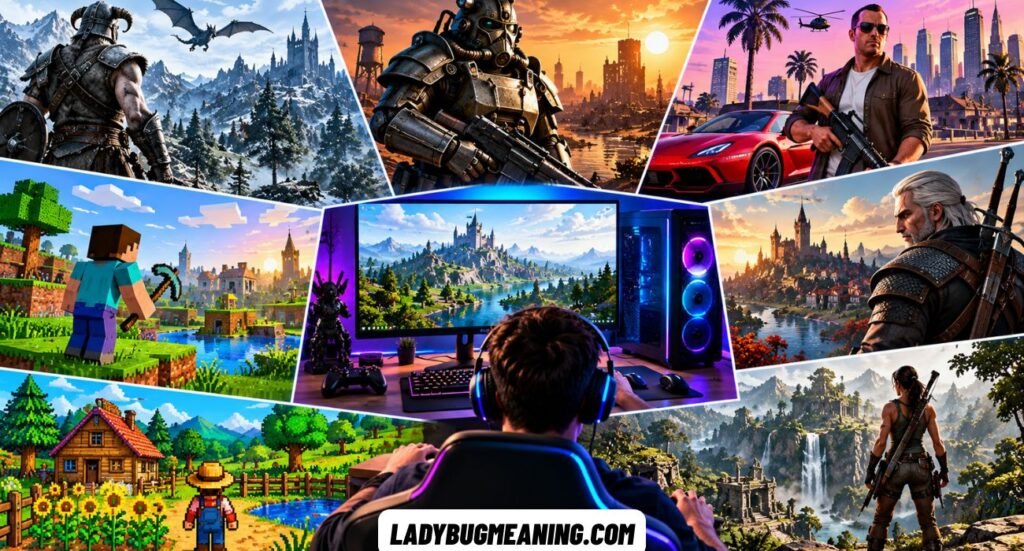
LyncConf’s gaming material has historically covered well-known moddable titles and franchises, while its current Game Mods section remains focused on modification and customization topics. LyncConf also describes its wider site as covering gaming, mods, settings, reviews, and related resources.
Games with particularly active modding ecosystems more broadly include titles from series such as:
The Elder Scrolls, especially Skyrim, which has a long-established PC modding community.
Fallout, where users commonly explore graphics, interface, settlement, equipment, quest, and gameplay modifications.
Grand Theft Auto V, which has inspired numerous visual, vehicle, map, gameplay, and single-player customization projects.
Minecraft, where modifications, resource packs, loaders, shaders, maps, and community content can dramatically alter the experience.
The Witcher series, particularly The Witcher 3, where players use interface, graphics, gameplay, and convenience modifications.
Stardew Valley, which supports a large ecosystem of visual, character, farming, interface, and content enhancements.
Many major games are also supported by dedicated mod managers. Nexus Mods currently describes Vortex as a multi-game manager that can organize mods and resolve some load-order or conflict issues across a large catalog of titles.
Exact availability should always be checked for the specific title, edition, and platform you use.
Tips for Installing Game Mods Safely
Modding changes files or behavior inside a game, so basic precautions are essential.
Back Up Your Saves
Copy important save files before making major changes.
A broken mod, corrupted configuration, or incompatible update could make a save difficult to load.
Check the Mod’s Supported Version
Never assume that a modification created for an older release will work after a large game update.
Compare:
Your installed game version → Mod-supported version → Required dependency versions
All three should be compatible.
Read the Requirements Section
Mods may depend on additional software.
Common requirements can include:
- Mod managers
- Script extenders
- Frameworks
- Libraries
- Plugins
- Other mods
- Specific downloadable content
Skipping one dependency is a common reason a mod fails.
Prefer Recognized Sources
Download files from established mod repositories, official developer-supported systems, or verified project pages whenever practical.
Do not trust a download simply because a blog mentions it.
Examine File Information
A trustworthy mod page should generally explain what the file does, which game version it supports, and how it should be installed.
Be cautious when a download asks you to run an unrelated executable, disable security protections, or grant permissions that have no clear connection to the modification.
Install Mods Gradually
Install a small number, test the game, and continue.
This creates a simple troubleshooting path if something stops working.
Keep a Record of Your Mod List
For a heavily modified game, save a list of:
- Mod names
- Versions
- Installation order
- Dependencies
- Important configuration changes
This becomes extremely useful after game updates.
Mod Managers vs. Manual Installation
Some players manually copy every file. Others prefer management software.
| Method | Advantages | Disadvantages |
|---|---|---|
| Manual installation | Full control and no extra manager required | Easier to overwrite files accidentally |
| Mod manager | Easier activation, removal, updates, and organization | Requires learning another tool |
| Official in-game system | Usually simple and integrated | May offer fewer mods |
| Steam Workshop-style system | Convenient subscriptions and updates when supported | Availability depends on the game |
| Custom loader | Powerful for certain games | Compatibility can be more technical |
There is no universal best method.
Follow the installation method recommended by the mod creator and supported by the specific game.
Vortex, for example, is designed to help manage installation, load order, profiles, plugins, and conflicts for supported games rather than forcing players to manually manage every file.
How Game Mods Lyncconf Improves Replayability
Replayability means having a reason to return to a game after completing or heavily playing it.
Mods can improve replayability in several ways.
A new quest mod may add hours of content. A combat overhaul can force players to abandon old strategies. A survival system may turn a relaxed adventure into a resource-management challenge.
Visual mods can also make a second playthrough feel different even when the story remains unchanged.
Large mod combinations may transform:
- Difficulty
- Enemy behavior
- Character progression
- Economy
- Crafting
- Exploration
- Visual presentation
- Map design
- Available equipment
The most effective mods do not simply add more content. They change how players interact with content already present.
This is why modding has become strongly associated with long-term communities around certain PC games.
Read more: Ftasiastock Market Trends from FintechAsia – A Complete Guide to Insights and Analysis
Compatibility, Dependencies, and Load Order
These three concepts cause many beginner problems.
Compatibility
Compatibility determines whether two components can operate together.
A mod may work perfectly by itself but fail when another mod edits the same game files.
Dependencies
A dependency is something another mod requires.
For example:
Mod B requires Mod A.
Installing Mod B alone may cause missing textures, errors, crashes, or failure to start.
Load Order
Some games load plugins or modifications in a defined sequence.
When two mods change the same resource, the one loaded later may overwrite part of the earlier one.
Mod managers can simplify this process for supported games. Vortex, for example, includes features intended to manage plugin conflicts and load order.
Never assume that alphabetical order is correct. Follow documentation for the specific game.
What Happens When a Game Updates?
Game updates are one of the biggest causes of mod problems.
A developer may change:
- Executable files
- Scripts
- APIs
- Folder structures
- Assets
- Engine behavior
- Security systems
A mod that depended on the previous structure can then stop working.
After a major update, avoid immediately assuming that your installation is permanently broken.
Check whether:
- The mod author has released an update.
- Its dependencies have also been updated.
- Your mod manager shows conflicts.
- The game version still matches the mod.
- Other users report the same issue.
- The developer changed its modding policy or system.
For heavily modified games, it can be wise to delay updating until essential mods have confirmed compatibility where the platform allows that choice.
Common Game Mod Problems and How to Fix Them
The Game Crashes at Startup
Disable the most recently installed modification first.
Then verify dependencies, game version, and load order.
The Mod Does Not Appear
Confirm that it is enabled and installed in the correct location.
Some games also require mod support to be activated inside an options menu or configuration file.
Textures Are Missing
Missing textures can indicate incomplete installation, incorrect folder placement, missing dependencies, or conflicting visual mods.
Performance Drops
High-resolution textures, advanced lighting effects, increased NPC counts, and complicated scripts can consume more processing power and memory.
Lower demanding settings or disable the most resource-intensive modifications individually.
A Save Will Not Load
Restore your backup if available.
Removing a large gameplay mod during an active playthrough can sometimes leave references inside the saved game.
Two Mods Conflict
Read both project pages.
The creators may provide a compatibility patch or explain which mod should load later.
Can Game Mods Cause Bans?
Yes, in some circumstances.
Single-player modding and multiplayer modification are not the same thing.
Some online games prohibit modifications that affect gameplay, competitive balance, game files, anti-cheat systems, or network behavior.
Even a modification that seems harmless can violate a multiplayer game’s rules.
Before using mods online:
- Read the game’s terms and modding policy.
- Check developer documentation.
- Understand anti-cheat restrictions.
- Do not assume that a single-player mod is allowed online.
- Use separate installations or profiles where officially supported.
When uncertain, keep unofficial modifications away from competitive and multiplayer modes.
Are All Mods Free?
No.
Many community modifications are released for free, but modding ecosystems can include donation-supported projects, paid creator programs, official marketplaces, subscription benefits, or commercial tools.
A price does not automatically prove quality or safety.
Before paying for anything, check:
- Who created it
- What exactly you receive
- Whether updates are included
- Refund terms
- Platform rules
- Compatibility
- Community feedback
Avoid websites that hide downloads behind suspicious payment pages or imitate well-known mod repositories.
Community and Support for Game Mods Lyncconf
Community support is one of the strongest parts of game modding.
A good project page often has comments, documentation, bug reports, update notes, or discussion channels where users compare problems and solutions.
When troubleshooting, provide useful information rather than simply saying, “The mod doesn’t work.”
Include:
- Game version
- Mod version
- Mod manager
- Installed dependencies
- Load order
- Error message
- Recent changes
- Other relevant mods
These details make it much easier for another user or developer to identify the problem.
LyncConf can serve as a discovery resource, while the original mod page or developer-supported community should usually be the first place to check for technical instructions.
How to Evaluate a Mod Before Installing It
A few minutes of research can prevent hours of troubleshooting.
Ask these questions:
Is the mod still maintained?
An old modification is not necessarily bad, but it may no longer support current game versions.
Does the creator clearly explain installation?
Missing instructions are a warning sign for complex mods.
Are dependencies clearly listed?
You should know what additional software is required.
Does the modification affect multiplayer?
If so, check the game’s policy carefully.
Can it be removed safely?
Some modifications become deeply connected to saved games.
Are known conflicts documented?
Creators often identify incompatible mods.
Does the download come from a sensible source?
Follow the project’s legitimate download path rather than random mirrors.
Who Should Use Game Mods?
Modding is suitable for players who enjoy customization, experimentation, additional content, or technical control.
It is especially useful for gamers who:
- Have completed the original game
- Want improved graphics
- Want new quests or features
- Prefer customized difficulty
- Enjoy experimenting with game systems
- Are comfortable troubleshooting occasional problems
Players who want a completely maintenance-free experience may prefer the unmodified game.
Mods can require updates, configuration, compatibility checks, and troubleshooting.
See also: The Spiritual Meaning of Color Brown
Who Should Avoid Certain Mods?
Avoid a modification when:
- Its source is unclear
- It requests suspicious permissions
- Your game version is unsupported
- Important dependencies are unavailable
- The author warns that your edition is incompatible
- It conflicts with a critical existing mod
- It violates multiplayer rules
- It requires disabling important security protections
- You cannot safely back up important saves
- Its installation instructions are incomplete or misleading
The safest mod is not necessarily the most popular one. It is the one you understand and can verify.
FAQs About Game Mods Lyncconf
What does game mods lync conf mean?
Game mods lync conf generally refers to modding guides, recommendations, customization information, and related gaming content associated with LyncConf. It does not describe one universal mod or standalone game.
Is LyncConf itself a game?
No verified evidence establishes LyncConf as a standalone video game. Its current website presents itself as a gaming-content platform with sections covering gaming and game mods.
Can I download mods directly from LyncConf?
You should check each article carefully. LyncConf primarily functions as an information and discovery resource, while actual mod files may come from external project pages or mod-hosting services. Always verify the destination before downloading.
Are Game Mods LyncConf safe?
No mod should be considered automatically safe because it is mentioned by a particular website. Check the creator, download source, supported game version, dependencies, permissions, and community reports before installation.
What is the safest way to install game mods?
Back up saves, verify compatibility, use the creator’s instructions, download from established sources, install a small number at a time, and test your game after significant changes.
Do I need a mod manager?
Not always. Simple modifications may support manual installation, while complicated mod setups benefit from a manager. Nexus Mods’ Vortex, for example, is designed to manage modifications, plugins, profiles, and conflicts across supported games.
Can game mods damage my save files?
A broken, incompatible, or improperly removed mod can sometimes create save problems. Maintaining backup saves is therefore one of the most important modding precautions.
Can I use mods in multiplayer games?
Only when the game’s rules allow them. Multiplayer titles may restrict modifications because of anti-cheat systems, competitive fairness, or security policies. Check the developer’s rules before using any modification online.
Conclusion
Game mods lync conf is best understood as a gateway into LyncConf’s modding-related gaming content rather than the name of a universal modification package. LyncConf maintains a dedicated Game Mods section where players can explore modification-related guides and gaming information.
The real value of modding comes from choosing modifications carefully. Check the exact game version, find the original project page, understand dependencies, back up saves, install gradually, and confirm that every mod is permitted for the way you intend to play.
Used responsibly, mods can refresh graphics, improve interfaces, introduce new content, change gameplay systems, and dramatically increase replayability. Used carelessly, they can create crashes, conflicts, broken saves, performance problems, or multiplayer restrictions.
For beginners, the best strategy is simple: research first, back up second, install slowly, and test often. That approach gives you the creative benefits of game modding without turning your game library into a troubleshooting project.